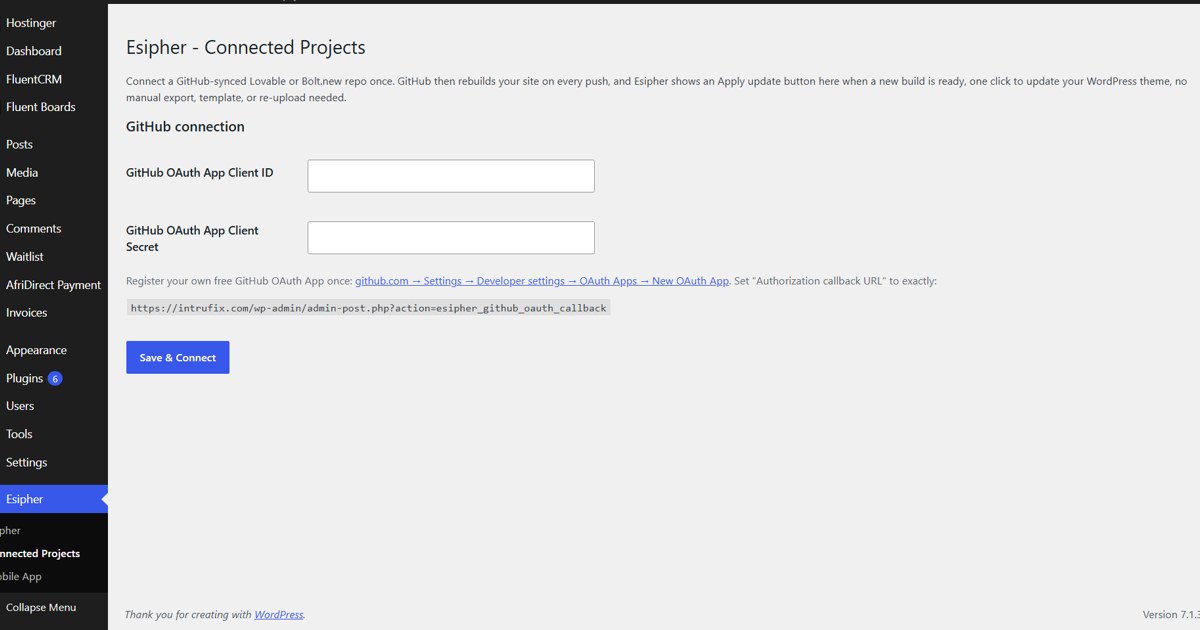
Set up a GitHub OAuth app, connect it to Esipher in WordPress and add your repository using this illustrated guide.
This guide follows the screens supplied for Esipher Connected Projects. Use your own WordPress website URL and callback URL, not the example website shown in the screenshots.
Open Connected Projects in Esipher
First is the first step, Go to connected projects
Create a GitHub OAuth app
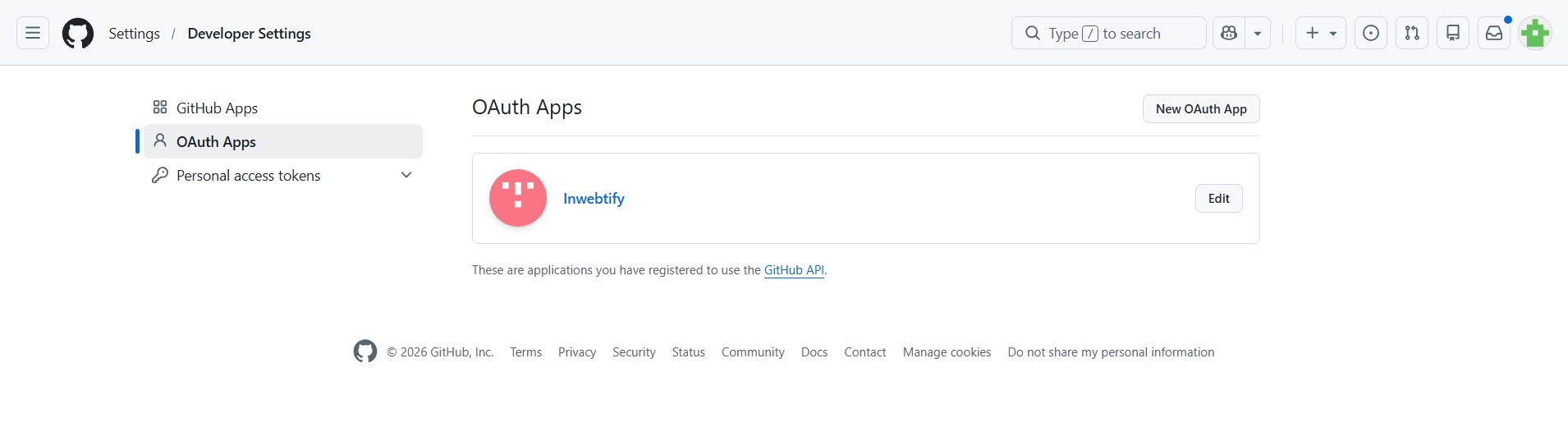
Second step is to head to settings in github- then click developer settings - then click new Auth as its in the second image
Enter your application name and website
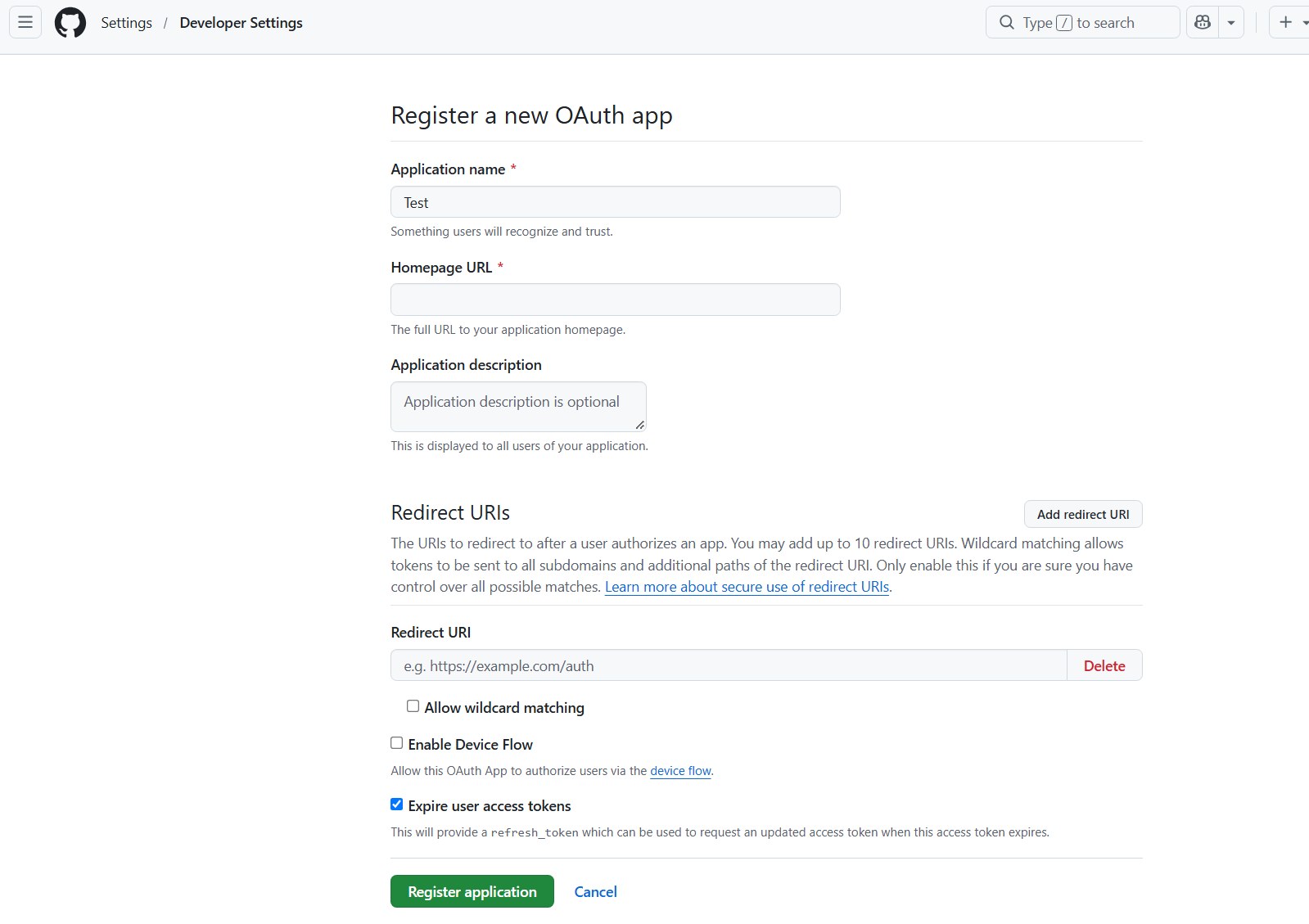
in the third image youd input the Name of the project, then input the website you wanna upload the ai build on.
Copy the callback URL from WordPress
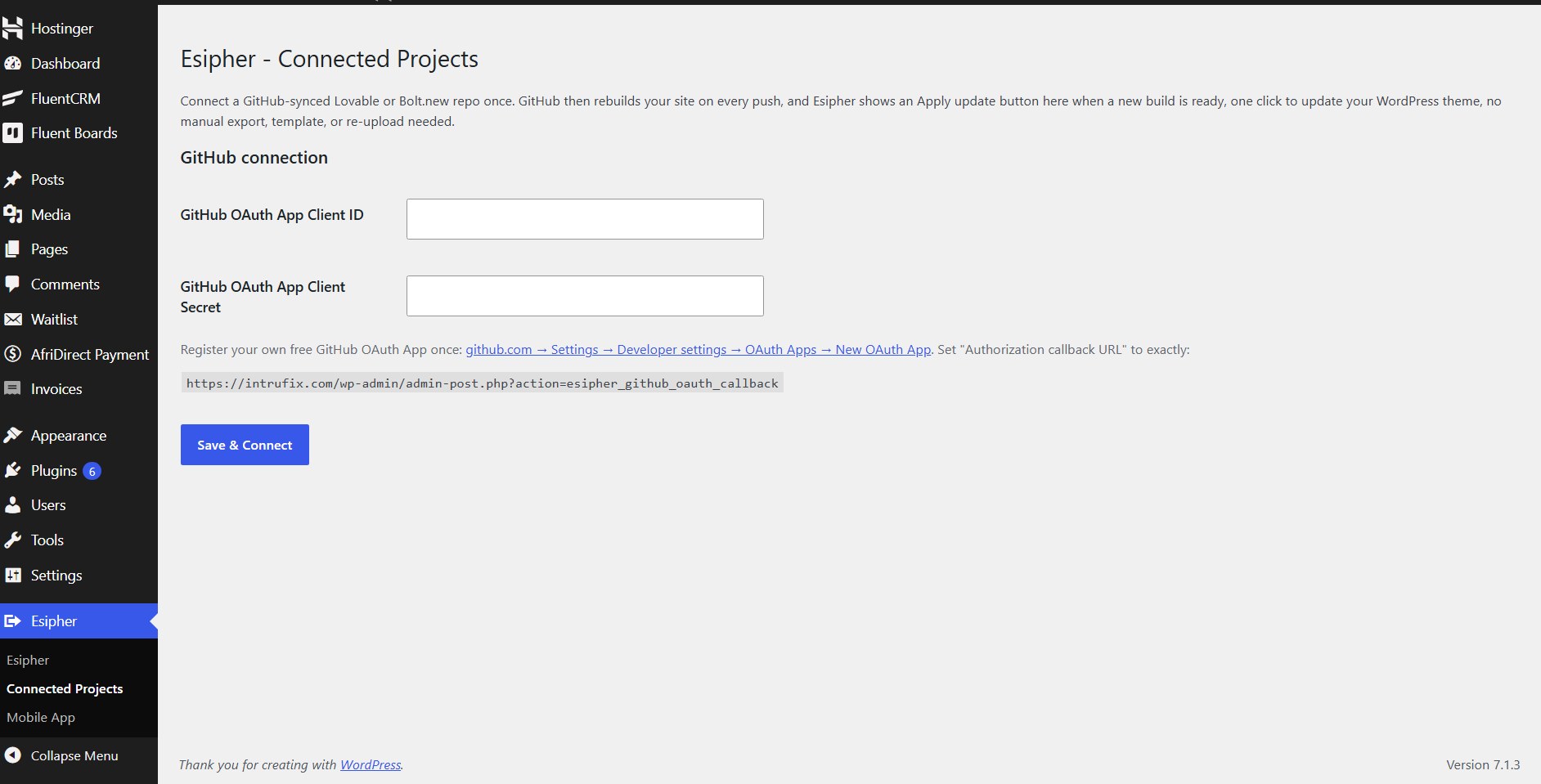
the next thing is to go back to the wordpress esipher and copy the HTTP link as in the image i attached and paste in the Redirect URL on the Github Oauth app page then click Register application.
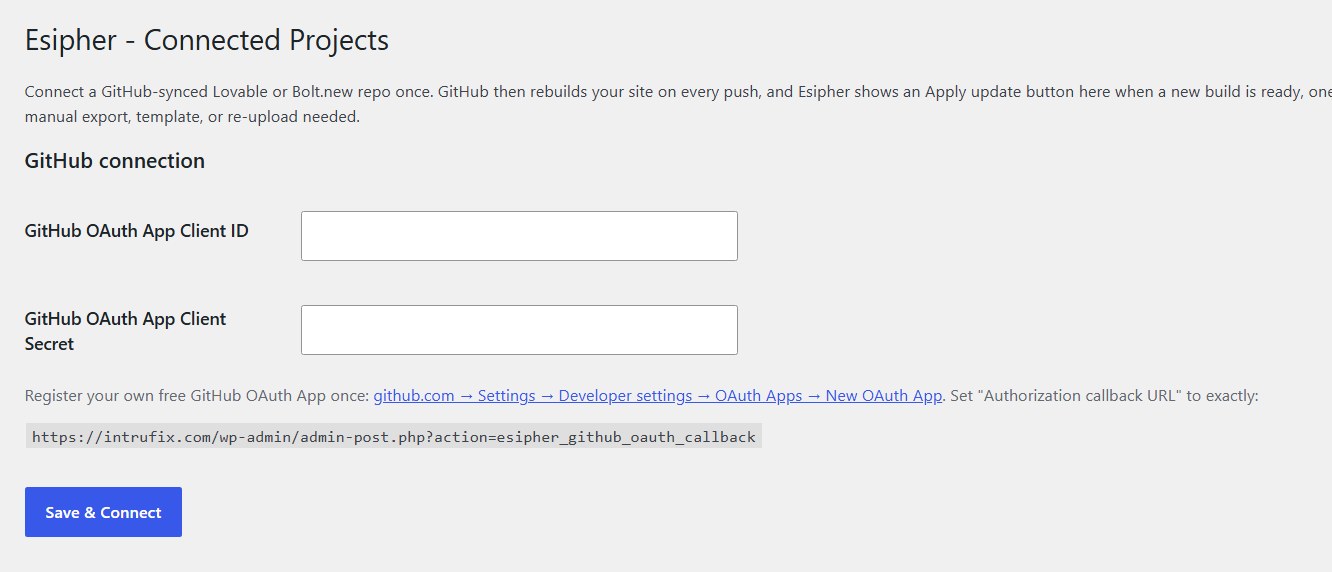
Save your GitHub credentials in Esipher
when it saved itd oen the oauth app created, copy the client id and generate secrete token, once generated, go to wordpress esipher and paste them there then hit save and connect
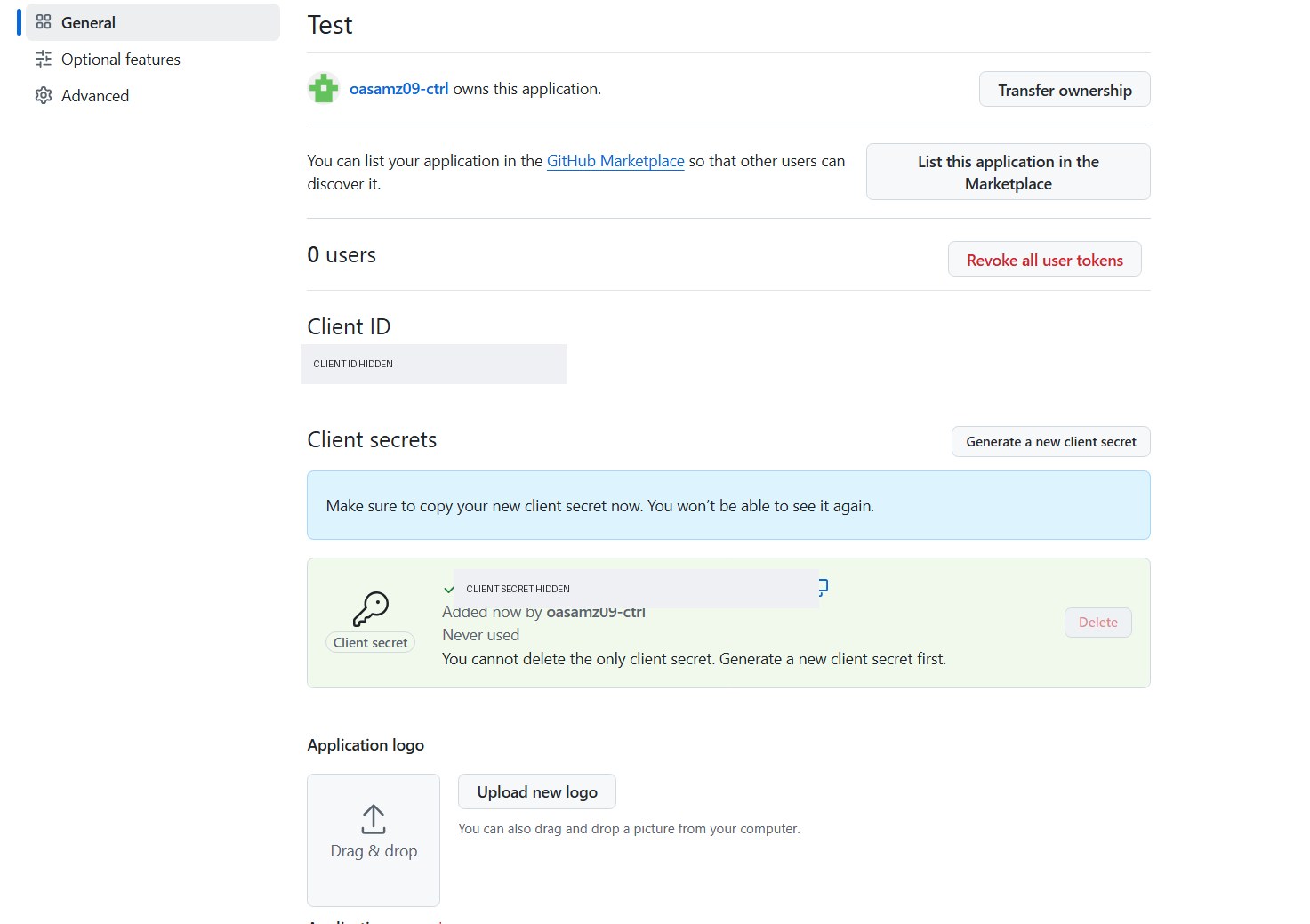
Add your repository, branch and theme slug
Once it shows connected, go ahead and copy the repo link and paste in esipher on wordress, you can leave the BRANCH empty. then you can add the name of the project in the slug field. this should then pull the ai build into your website
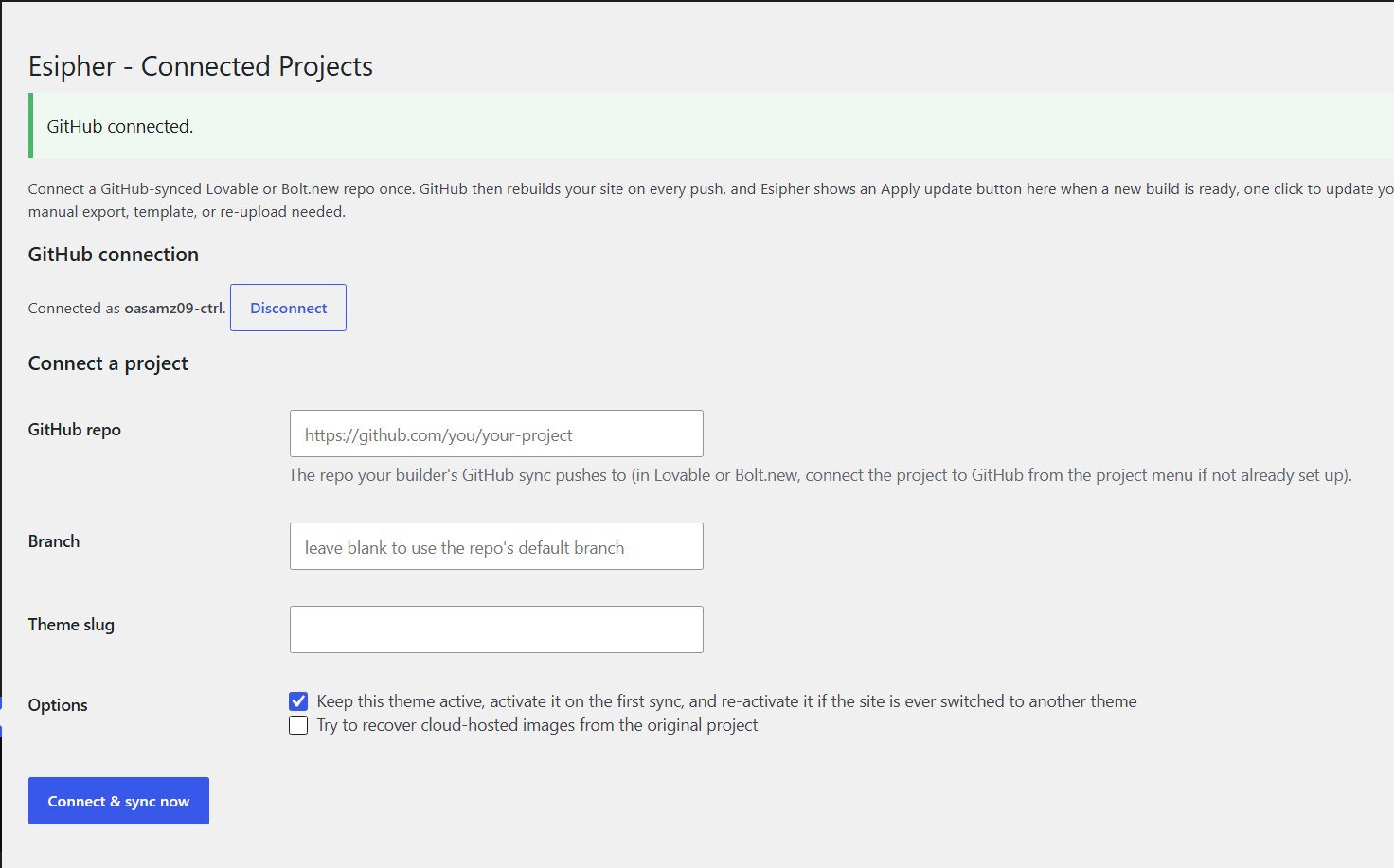
Before you sync
Keep your credentials private
Enter your client secret only in Esipher’s Client Secret field. Do not include it in articles, screenshots or a public repository.
Review and apply updates
The instructions above are preserved as supplied. For the current release, GitHub builds your project and Esipher shows an Apply update button when a build is ready. An administrator must approve every update; changes do not install or activate automatically.
Know what converts
- Authentication, database operations and live data do not convert. Esipher detects and reports them.
- Client routing beyond what exists in the built HTML does not convert.
- Custom component layouts are not yet split into individually editable blocks.
- Builder specific adapters and a conversion history or rollback screen are still to come.
Esipher works with finished Vite and React builds. Connecting a repository does not automatically recreate unsupported dynamic functionality.